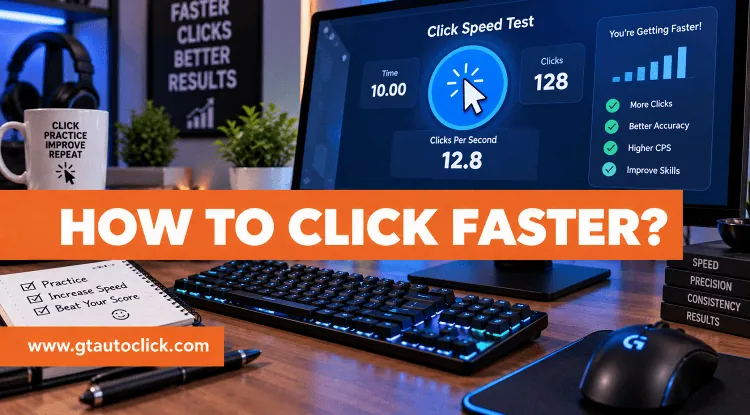
If your clicking speed feels stuck around the same number no matter how much you practice, simply clicking harder probably won’t help. Improving your clicks per second (CPS) is more about technique, hand position, equipment, and consistent practice than raw finger strength.
Whether you want to perform better in Minecraft PvP, improve your Roblox gameplay, beat your previous CPS score, or simply get more comfortable with rapid clicking, there are several things you can do to improve.
The important part is not chasing the highest number at any cost. A fast clicking method is only useful if you can perform it consistently, maintain reasonable accuracy, and use it without hurting your hand.
Start With Regular Clicking
Before learning advanced techniques, make sure you have a good regular clicking technique.
Rest your index finger naturally on the mouse button and use a light, controlled motion to click. Your finger should remain relatively close to the button rather than lifting your entire hand between clicks.
Don’t squeeze the mouse tightly. A relaxed grip gives your fingers more freedom to move and makes it easier to maintain a steady rhythm.
Regular clicking may not produce the eye-catching CPS numbers associated with advanced techniques, but it offers excellent control and accuracy. It is also much easier to maintain during longer gaming sessions.
Once you can click consistently without unnecessary tension, you have a much better foundation for learning faster techniques.
Learn Advanced Clicking Methods
If regular clicking isn’t giving you the speed you want, you can experiment with different methods designed specifically for higher CPS.
Jitter Clicking
Jitter clicking uses controlled muscle tension to create a rapid vibrating movement through your forearm and hand. Instead of deliberately pressing the mouse button over and over, the vibration helps your finger produce a faster stream of clicks.
Keep your forearm supported and avoid relying on your finger alone to create the movement. Start with very short practice sessions because jitter clicking can become tiring quickly.
It can produce significantly higher CPS than regular clicking, but the trade-off is reduced comfort and, in many cases, less cursor control. It’s better suited to short bursts than extended clicking.
Butterfly Clicking
Butterfly clicking uses two fingers, usually the index and middle fingers, on the same mouse button. You alternate between them in a steady rhythm, similar to tapping two fingers on a desk.
The technique can produce high CPS while distributing the clicking work between two fingers. However, your results depend partly on whether your mouse reliably registers both clicks.
When learning butterfly clicking, focus on getting a clean alternating rhythm before trying to go as fast as possible. Sloppy clicks won’t help much if half of them fail to register.
Also remember that some games and servers restrict or flag certain forms of butterfly clicking, particularly when the mouse produces multiple registered inputs from rapid alternating presses.
Drag Clicking
Drag clicking works differently from the other techniques. Instead of repeatedly pressing the button, you drag your finger across its surface. Friction can cause the switch to register a large number of clicks during the movement.
This can produce extremely high CPS bursts, but there is a major catch: it depends heavily on the mouse.
Some mouse surfaces and switches work well with drag clicking, while others barely register it. Because of this, drag clicking isn’t a universal solution for faster clicking.
It’s also not necessarily useful for normal gameplay. Its extremely high numbers can look impressive in a CPS test, but a technique that produces huge bursts isn’t automatically the best choice for accurate, sustained gameplay.
Choose the Right Mouse
Your mouse can make a noticeable difference, particularly when you’re using advanced clicking techniques.
A gaming mouse generally provides better control and responsiveness than a laptop trackpad. If you’re serious about improving CPS, using a proper mouse is a sensible first upgrade.
Pay attention to the mouse’s:
- Button feel and responsiveness
- Switch type
- Weight
- Button shape
- Durability
- Debounce behavior
- Overall comfort
A lighter mouse can reduce hand fatigue during fast movements, while a comfortable button shape can make techniques such as butterfly clicking easier.
For drag clicking, the surface of the mouse becomes especially important because the technique relies on friction. A mouse that works perfectly for one clicking method may be unsuitable for another.
Most importantly, don’t choose a mouse simply because another player gets a high CPS score with it. Your hand size, grip, and comfort matter too.
Adjust Your Mouse Settings
Your mouse settings can also affect how responsive clicking feels.
Start with DPI. Increasing DPI can make the cursor more responsive, but higher isn’t automatically better. If the cursor becomes difficult to control, reduce it until you find a comfortable balance.
You can also check your mouse’s polling rate. Higher polling rates, such as 500 Hz or 1000 Hz, allow the mouse to report its position and input more frequently. This can make the mouse feel more responsive, although it won’t magically turn a slow clicking technique into a fast one.
If you’re unsure how your mouse is performing, testing its polling rate can help you understand whether your hardware is behaving as expected.
Practice in Short, Consistent Sessions
One of the biggest mistakes people make is practicing until their hand is exhausted.
Instead, make your practice short and consistent.
Start with a few minutes of relaxed clicking to warm up your fingers. Then perform short speed drills where you focus on reaching a higher CPS without sacrificing your rhythm. After that, spend some time maintaining a steady clicking speed rather than simply chasing your highest possible score.
A 15–20 minute practice session can be more useful than an occasional hour-long session where your hand becomes exhausted.
You should also track your results. Run your CPS test for the same amount of time each session and record your average score. Comparing a 1-second burst with a 10-second test doesn’t tell you much because they measure different things.
Don’t worry if your progress slows down. Going from 6 to 7 CPS is generally a much smaller challenge than going from 12 to 13 CPS. Set realistic goals and give yourself enough time to adapt.
Fix Your Grip and Posture
Sometimes the easiest way to click faster is to stop doing things that are slowing you down.
Avoid gripping the mouse too tightly. A death grip creates unnecessary tension and can make your fingers less responsive.
Your forearm should be comfortably supported, your wrist should stay in a neutral position, and your arm shouldn’t be forced into an awkward angle.
Also keep your fingertip relatively close to the mouse button. Large unnecessary movements add effort without adding useful clicks.
Good posture won’t suddenly double your CPS, but removing unnecessary tension can make clicking feel smoother and more sustainable.
Don’t Ignore Your Mouse Pad
A good mouse pad is another small upgrade that can improve the overall experience.
A smooth surface reduces unnecessary friction while moving the mouse and gives your hand a consistent place to rest. It can also provide additional wrist support during longer gaming sessions.
The difference may not show up as a dramatic CPS increase by itself, but comfortable equipment makes it easier to practice consistently.
Know When More CPS Isn’t Better
It’s easy to become obsessed with the number on a CPS counter, but the highest score isn’t always the most useful one.
For competitive games, accuracy, movement, timing, and aim can matter just as much as clicking speed. A controlled 8 CPS can be more useful than an inconsistent 15 CPS if you’re constantly missing your target.
Different games also have different requirements. Some PvP situations may benefit from faster clicking, while other games don’t reward extremely high CPS at all.
And before using techniques such as butterfly or drag clicking in multiplayer games, check the rules of the server you’re playing on. Some communities restrict certain clicking methods or unusually high click patterns.
If your goal is to automate repetitive clicks rather than improve your manual clicking technique, an auto clicker is a different solution altogether.
Take Care of Your Hands
Fast clicking puts repetitive stress on your fingers, wrist, and forearm, so don’t treat discomfort as part of the training process.
Take regular breaks during intensive practice. Stretch your fingers, open and close your hands gently, and rotate your wrists between sessions.
Pay attention to warning signs such as persistent aching, tingling, numbness, or unusual discomfort. If something hurts, stop clicking and give your hand time to recover.
You don’t need to prove anything by practicing through pain. A higher CPS score isn’t worth an injury that keeps you away from gaming for weeks.
Conclusion
Learning how to click faster isn’t about finding one secret trick. It’s a combination of better technique, suitable equipment, consistent practice, and good habits.
Start with regular clicking and work on your grip and rhythm. Once that feels natural, experiment with jitter, butterfly, or drag clicking and see which technique fits your hand and mouse.
Then optimize your equipment, practice in short sessions, measure your progress, and focus on consistency rather than chasing a single record-breaking score.
Most importantly, remember that faster doesn’t always mean better. The ideal clicking speed is the one that gives you the performance you need while allowing you to stay accurate, comfortable, and in control.