
Ever wished your clicks could keep on going even when you are away from your screen? If yes, then GT Auto Clicker is a great tool that helps you generate repetitive clicks automatically and also improves productivity.
Although GT is not the only player in the market but there are so many other auto clickers available out there. With more advanced features, customizable intervals, smarter controls, anti-detection, and much more.
In this article, we will explore some of the best GT Auto Clicker alternatives and compare them based on their features, performance, and usability. So that you can select the right clicking software according to your needs.
9 Best Alternatives to GT Auto Clicker (2026)
Whether you are looking for an excellent tool for automating a game, a workflow, refreshing a webpage, or just saving your fingers from repetitive tasks of clicking.
Here we have listed the Top 9 auto clickers available in the market.
1. OP Auto Clicker
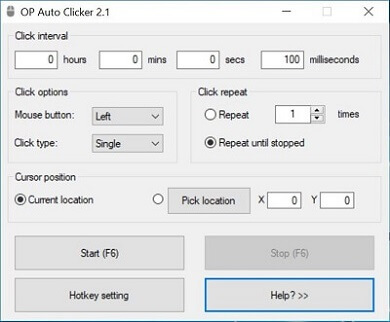
OP Auto Clicker is one of the most popular auto-clicking apps that is available for free. It is well known for its simplicity and powerful features like custom click intervals, number of clicks, click repetitions, and mouse button options.
Moreover, it also has two advanced clicking functions that work according to the cursor position, one is the Current location which allows you to click dynamically, and the second is the Pick location which clicks according to the XY coordinates of the screen.
Key Features:-
- Adjustable time interval (hours, mins, secs, milliseconds)
- Repeat until stopped option for unlimited clicks.
- Two types of clicking options: single and double.
- Customizable Hotkey to quickly start or stop.
Official Link: Visit Website
2. GS Auto Clicker
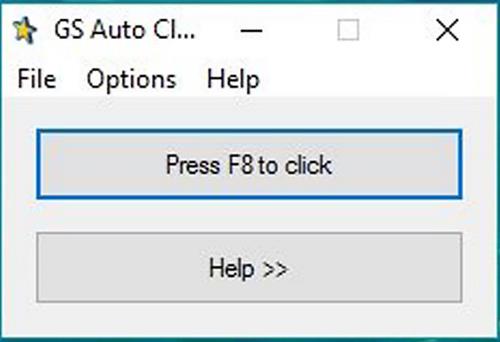
GS Auto Clicker is another great alternative tool that helps you automate different types of gaming tasks in Roblox, Minecraft, and other games. Furthermore, it’s perfect for beginners who just want a simple tool for automation and don’t need a complicated user interface.
One thing that I personally liked about this tool is that it allows you to generate multiple clicks at different locations of the screen, which is important for form-filling and data-entry tasks.
Key Features:-
- Free, lightweight, and portable.
- Record and replay sequence clicks.
- Hotkey for start/stop functionality.
- Custom clicking speed & repetitions.
Official Link: Visit Website
3. Auto Clicker by MurGaa
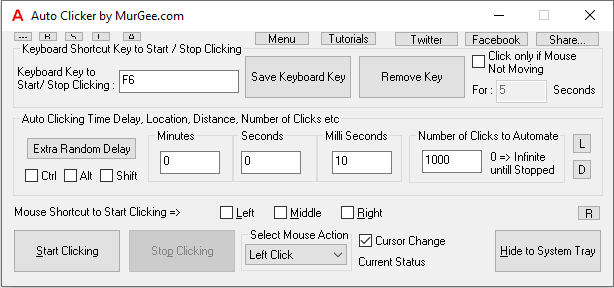
MurGaa Auto Clicker is a professional tool designed for both Windows and macOS users. For a long time, it’s been popular among gamers and software testers who need precise control over their clicking speed and patterns.
In this tool, you will find advanced settings like Time delay (milliseconds), Click Type (Single or Double clicks), and Infinite until Stopped, especially useful for gaming and productivity.
Key Features:-
- Random click location to avoid detection.
- Clicking repeatedly at random locations.
- Configurable click repetitions and count.
- Keyboard shortcut to Start/Stop clicking.
Official Link: Visit Website
4. Perfect Automation
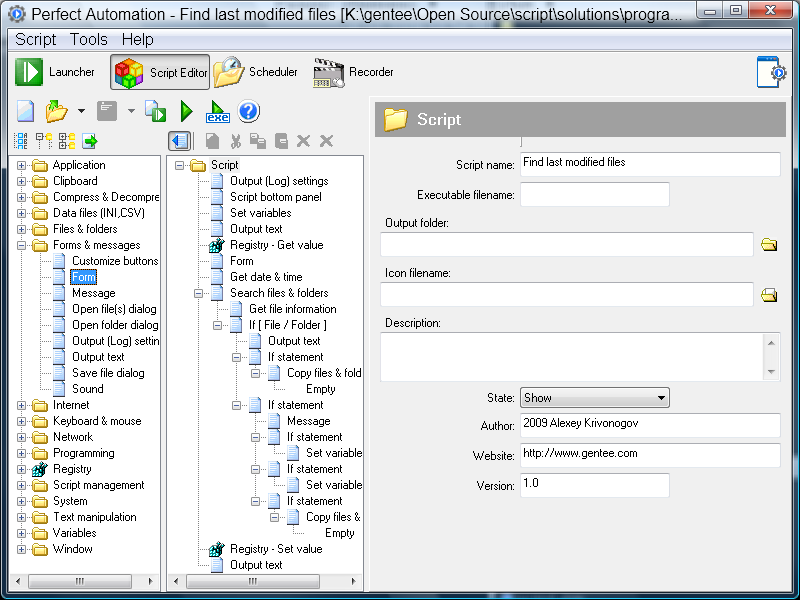
Perfect Automation is much more than just an auto clicker, it’s a complete automation suite that combines a macro recorder, script editor, and scheduler. Using this software, you can automate the entire workflow, whether you are a developer, QA tester, or a user who wants total control.
Moreover, it also allows you to record both mouse and keyboard activities and the complex sequences that you require while playing games like World of Warcraft, Minecraft, Roblox, and much more.
Key Features:-
- All advanced functions in one place.
- Supports scripting with a built-in editor.
- Customizable hotkeys for activating scripts.
- Custom triggers and time-based scheduling.
Official Link: Visit Website
5. FYT Auto Clicker
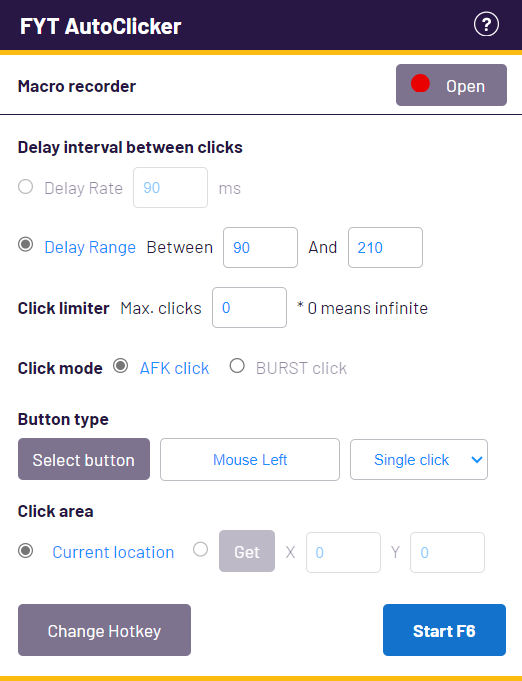
FYT Auto Clicker is a little newer option in this automation space, but it has all the important features like random click interval, Infinite clicks, and hotkeys. This tool is specially designed for speed & flexibility and has a very modern interface as compared to other tools.
If you are frequently involved in heavy gaming sessions or long working hours, then don’t worry, this auto clicker is optimized for low CPU usage, which means you can use it efficiently without any hassle.
Keywords:-
- Easy-to-use interface.
- Has an in-built macro recorder.
- Click modes like AFK click and BURST click.
- Random delay range to simulate real clicks.
Official Link: Visit Website
6. Free Mouse Clicker
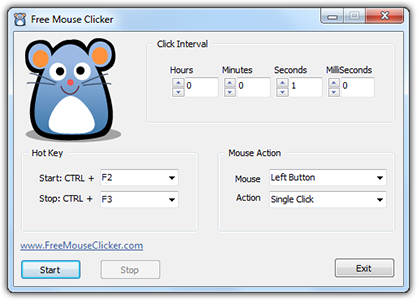
Free Mouse Clicker is a very simple tool with limited functions to automate mouse clicks. It’s efficient, reliable, and perfect for users who have very basic automation needs or are involved in casual gaming tasks.
With highly accurate clicks and zero cost, this tool becomes the top priority for beginner users who just need a quick solution for their automation needs. You can set the click interval, mouse button (left or right), and click type (single, double, or middle).
Key Features:-
- 100% free with no advertisements.
- Minimalist and easy-to-use interface.
- Adjustable click interval (hours, mins, secs, milliseconds)
- Custom hotkeys CTRL + F2 and CTRL + F3 default options.
Official Link: Visit Website
7. PTFB Pro
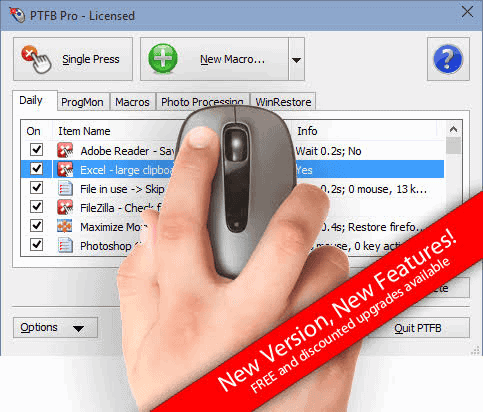
PTFB Pro is a premium automation tool designed for professionals who are regularly involved in repetitive testing and administrative tasks. Like other advanced tools, it has both auto clicker and macro recorder using which you can easily automate the entire workflow.
One thing that really stands out about this tool is that it detects window dialogs and buttons automatically, which makes it even more useful for repetitive IT operations, data entry tasks, form filling, and much more.
Key Features:-
- Macro recorder for both mouse and keyboard.
- Smart program management to manage processing power.
- Automatically responds to prompts, pop-ups, and dialog boxes.
- Has password protection for security and network support for team environments or enterprises.
Official Link: Visit Website
8. Free Auto Clicker
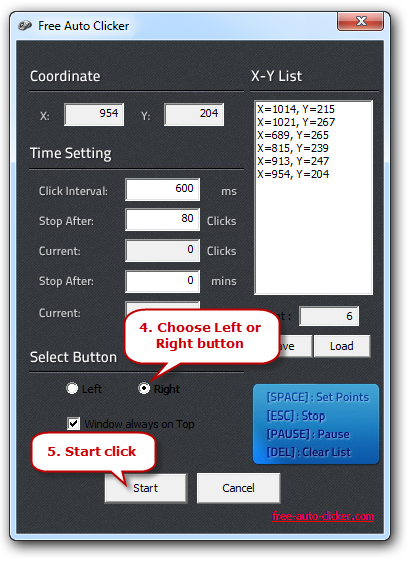
Free Auto Clicker is another straightforward tool that comes with all the essential functions like click interval, Stop after clicks, Current clicks, stop after mins, XY coordinates, and mouse buttons (left or right).
It’s completely free to use and has a very user-friendly interface which allows first-time users to set it up easily. You just have to define the exact coordinates, click intervals, and it’s ready for gaming, web testing, repetitive office tasks, and much more.
Key Features:-
- Highly portable and lightweight.
- Customizable click speed and location.
- Hotkeys: Start, Stop, Pause, Set Points, & Clear List.
- Record and replay clicks according to XY coordinates.
Official Link: Visit Website
9. Super Auto Clicker
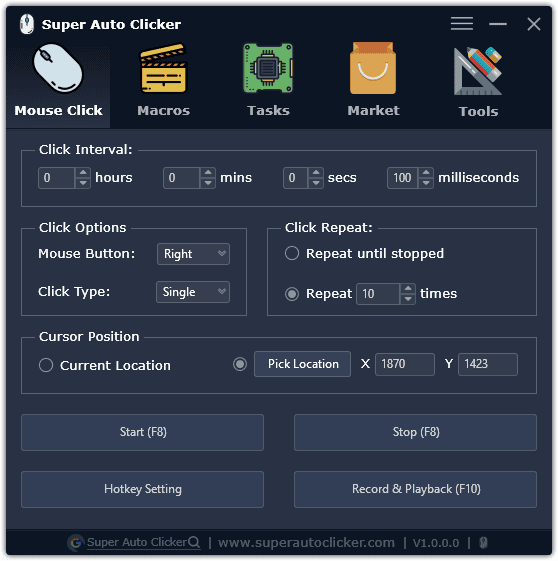
Super Auto Clicker is a powerful software designed for users who need more speed and automation options. It’s highly configurable and allows you to set click interval, click options, click repeat, cursor position, and much more.
Looking at its features, you can call it the upgraded version of OP Auto Clicker with lots of new functions such as Macros, Tasks, and Tools. If you love using auto-clicking tools in games like Roblox and Minecraft, then this tool is a perfect fit for you.
Key Features:-
- Global hotkey settings.
- Record mouse and keyboard actions and replay.
- Support left, right, and middle mouse buttons.
- Support multiple clicks at different locations.
Official Link: Visit Website
Conclusion
While GT Auto Clicker is a very reliable and easy-to-use tool but if you are looking for an alternative than there are plenty of options available in 2026, with more power, customization, and advanced features.
If you prefer simplicity and speed, then OP Auto Clicker and GS Auto Clicker are solid choices. For professional users, Perfect Automation and PTFB Pro are great for handling complex workflows. And if you want a combination of both, then Super Auto Clicker is worth exploring.
No matter what your needs are – gaming, testing, or repetitive clicking tasks, I am pretty sure that you will find a perfect tool from this list.