
If you have ever watched someone reach a surprisingly high CPS score in a clicking test or dominate a Minecraft PvP fight with rapid clicks, there is a good chance they were using butterfly clicking.
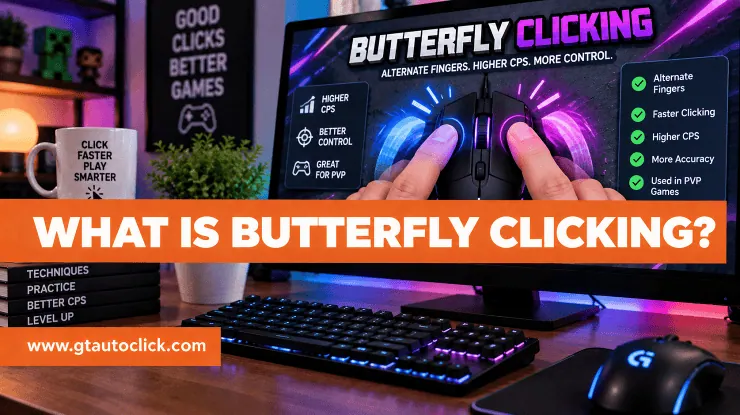
Butterfly clicking is a mouse-clicking technique that uses two fingers, usually the index and middle fingers, to alternate clicks on the same mouse button. Instead of making one finger handle every click, both fingers share the work. As one finger lifts, the other presses down, creating a continuous clicking rhythm.
The technique is popular because it can produce much higher CPS than ordinary single-finger clicking. More importantly, it doesn’t require the same forearm vibration used in jitter clicking, making it an appealing option for players who want to improve their clicking speed while maintaining a more controlled hand movement.
How Does Butterfly Clicking Work?
The basic idea behind butterfly clicking is surprisingly simple.
Place your index and middle fingers next to each other on the left mouse button. Press the button with your index finger, release it, and immediately press it with your middle finger. Then repeat the pattern:
Index → Middle → Index → Middle
Think of the movement like tapping your fingers on a desk. The goal isn’t to slam the mouse button with both fingers. Instead, you want a smooth, alternating rhythm where each finger takes over as the other lifts.
This works because each finger gets a brief moment to recover while the other one clicks. With enough coordination, the two fingers can produce a much faster stream of clicks than a single finger working alone.
The name comes from the fluttering movement of the two fingers, which resembles a butterfly’s wings.
How to Butterfly Click
Learning the technique doesn’t require complicated equipment, but getting the rhythm right can take some practice.
1. Position Your Fingers
Place your index and middle fingers comfortably on the primary mouse button. Leave enough room for both fingers to move without bumping into each other.
Your exact finger position may need some experimentation because mouse shapes and hand sizes differ.
2. Start With a Slow Rhythm
Don’t immediately try to click as fast as possible. Start with a deliberate pattern:
Index, middle, index, middle.
At first, concentrate on making every click register separately. Once the movement becomes natural, gradually increase the speed.
Trying to go fast before you can alternate consistently usually results in uneven clicks, missed inputs, or both fingers pressing at nearly the same time.
3. Keep Your Finger Movement Small
You don’t need to lift your fingers several centimeters after every click. Keep the movement short and controlled.
The less unnecessary movement you make, the easier it becomes to maintain a quick rhythm. Light, short taps are generally more efficient than forceful presses.
4. Keep Your Hand Relaxed
Avoid squeezing the mouse too tightly. Excessive tension can make your fingers less flexible and cause your hand to fatigue faster.
Your goal should be a light, repeatable movement rather than forcing every click.
How Many CPS Can Butterfly Clicking Reach?
There isn’t one CPS number that every butterfly clicker can achieve.
The sources commonly report experienced users reaching roughly 15–25+ CPS, but actual results depend on technique, coordination, mouse hardware, test duration, and how clicks are registered.
Don’t worry if you don’t reach those numbers immediately. A consistent 10-second score is often more useful than an impressive one-second burst that you can’t reproduce.
If you want to measure your progress, try a CPS test and compare your butterfly-clicking score with your normal clicking speed.
Why Is Butterfly Clicking Popular in Minecraft PvP?
Minecraft PvP is one of the main reasons butterfly clicking became popular.
In situations where rapid clicking matters, a higher CPS can help players perform repeated attacks or place blocks more quickly. It is particularly associated with competitive PvP and bridging.
However, clicking speed is only one part of good gameplay. Aim, movement, timing, positioning, and game sense still matter. Being able to produce 20 CPS won’t help much if your cursor isn’t on the target.
That’s why it’s worth practicing your clicking technique alongside actual gameplay rather than focusing exclusively on CPS tests.
What Mouse Is Best for Butterfly Clicking?
You don’t necessarily need an expensive gaming mouse to learn butterfly clicking, but the right mouse can make the technique more comfortable.
Look for a mouse with:
- Enough space for two fingers on the primary button
- Responsive and reliable switches
- A comfortable shape
- Buttons that don’t require excessive force
- Good durability
- A weight you can comfortably control
Some gaming mice also offer adjustable debounce settings. These settings can affect how rapidly repeated inputs are registered, although the exact behavior depends on the mouse and its firmware.
A mouse that feels comfortable in your hand is more important than simply choosing the model another player uses. A shape that works perfectly for someone else may feel cramped or awkward for you.
Butterfly Clicking vs. Jitter Clicking
Butterfly clicking and jitter clicking are both designed to increase CPS, but they work very differently.
Butterfly clicking uses two fingers that alternate on the same mouse button.
Jitter clicking relies on controlled muscle tension and vibration in the hand and forearm to produce rapid clicks.
Butterfly clicking can offer very high CPS without requiring the same continuous arm vibration as jitter clicking. On the other hand, extremely rapid butterfly clicking can make aiming more difficult for some players.
There is no universal winner. The better technique is the one you can perform consistently while still maintaining control.
How to Get Better at Butterfly Clicking
The fastest way to improve isn’t to repeatedly chase your highest score. Build the technique in stages.
Start by practicing the alternating rhythm at a comfortable speed. Once your fingers can switch smoothly without thinking about every individual click, gradually increase your speed.
You can also use short practice sessions:
- Start with slow rhythm drills.
- Try short speed bursts.
- Practice longer clicking periods for endurance.
- Record your CPS results.
- Compare several attempts rather than focusing on one peak score.
- Take the technique into actual games once the movement feels natural.
If your rhythm breaks down when you speed up, slow down again. It is much easier to build speed on top of a clean rhythm than to fix a chaotic clicking pattern later.
Is Butterfly Clicking Safe?
Butterfly clicking distributes the clicking action between two fingers, but that doesn’t mean you should practice it indefinitely.
Rapid repetitive clicking can still cause fatigue or discomfort in your fingers and hand. Keep your movements light, take regular breaks, and don’t continue if you experience pain, tingling, numbness, or unusual tightness. Current guides similarly recommend relaxed movement and stopping when discomfort appears.
There’s also no universal CPS number that can guarantee safety for everyone. Your technique, practice duration, grip, and individual tolerance all matter.
Is Butterfly Clicking Cheating?
Butterfly clicking itself is a manual technique, so it shouldn’t be confused with an auto clicker or macro.
However, game and server rules can differ. Some communities place limits on CPS or restrict particular clicking methods because extremely rapid inputs can provide an advantage or trigger anti-cheat systems.
If you play competitive multiplayer games, check the current rules of the specific server before relying on butterfly clicking.
Conclusion
Butterfly clicking is essentially about turning two-finger coordination into a faster and more consistent clicking rhythm. The technique is easy to understand, but becoming good at it takes practice.
Start slowly, alternate your index and middle fingers, keep your movements short, and focus on rhythm before speed. Once the motion becomes natural, work on maintaining it while aiming and playing.
And don’t get too caught up in chasing a record CPS. The best butterfly-clicking technique is one you can control, repeat consistently, and use comfortably during actual gameplay.