If you are thinking about downloading an auto clicker, it is natural to wonder whether it is actually safe. After all, the software needs to control your mouse or screen, and some auto clickers may ask for permissions that sound concerning.
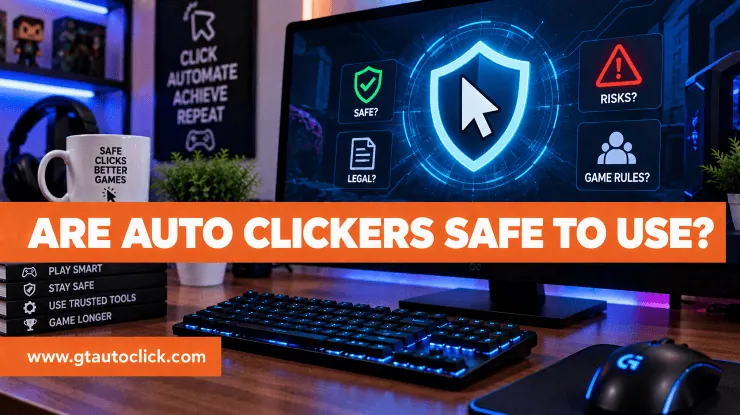
So, are auto clickers safe to use? Generally, yes. A legitimate auto clicker can be perfectly safe for repetitive tasks, accessibility, testing, or certain types of gaming. The real risks usually come from downloading a modified or malicious program, granting unnecessary permissions, or using an auto clicker somewhere that prohibits automation.
Understanding those differences can help you use one without putting your device, privacy, or accounts at unnecessary risk.
What Does an Auto Clicker Actually Do?
An auto clicker is a program that generates mouse clicks or screen taps automatically at an interval you choose. Instead of repeatedly pressing a mouse button yourself, the software performs the action for you.
People use auto clickers for many legitimate reasons. They can simplify repetitive work, reduce physical strain, assist with accessibility, help with software testing, and automate repetitive actions in games where such automation is permitted.
The tool itself isn’t inherently dangerous. Where you download it and what access you give it matter much more.
When Is an Auto Clicker Safe?
A trustworthy auto clicker should come from a legitimate developer or reputable distribution platform. It should also clearly explain what the program does, what permissions it requires, and whether it collects any information.
A good starting point is to avoid random download sites offering modified or “premium” versions for free. Unofficial installers can be bundled with unwanted software or malware.
Windows itself provides security features designed to protect users from unsafe applications and downloads. Its reputation-based protection and Smart App Control can block applications that are considered malicious or potentially unwanted.
That doesn’t mean every auto clicker downloaded outside an app store is dangerous, but it does mean the source deserves some attention.
Can Auto Clickers Contain Viruses?
Yes, but the risk usually comes from the download rather than the concept of an auto clicker.
A malicious installer can potentially contain spyware, unwanted programs, or other threats. That’s why you shouldn’t install the first auto clicker you find in a search result.
Before running one, check the developer, download source, reputation, and security warnings. If your antivirus blocks the file, don’t immediately disable your protection just to make the program work. Investigate the detection first.
If the file comes from an unknown source and your security software considers it suspicious, finding a different, trustworthy program is usually a better option than taking unnecessary chances.
What About Auto Clicker Permissions?
Permissions deserve just as much attention as the download source.
Depending on the platform, an auto clicker may need access that allows it to control mouse input, interact with the screen, or display an overlay. On Windows, permissions can determine whether an application can access things such as files, devices, location, camera, microphone, or other system resources. Microsoft recommends reviewing what permissions an application requires and using privacy settings to control access where applicable.
The important question isn’t simply “Does this app request permissions?” It’s “Do those permissions make sense for what the app is supposed to do?”
For example, an auto clicker may reasonably need access related to input control. An otherwise simple clicker asking for contacts, your microphone, or your location should make you stop and investigate why.
Is an Auto Clicker Safe for Your Privacy?
Privacy is slightly different from malware protection.
A program can be free from known malware while still collecting unnecessary information about its users. Before installing an auto clicker, look for a privacy policy and check whether it requires an account or an internet connection.
Ask yourself:
- Does it collect personal information?
- Does it send usage data to a server?
- Does it require an account?
- What permissions does it request?
- Can its settings be stored locally?
- Does the developer clearly explain its data practices?
The fewer unnecessary permissions and data requirements a simple auto clicker has, the easier it is to understand and control its privacy footprint.
Can an Auto Clicker Get Your Account Banned?
This is where software safety and account safety become two different things.
An auto clicker can be completely free of malware and still get your gaming account banned if the game prohibits automation.
Many competitive games and online services have rules against bots, macros, or automated input. Using an auto clicker to gain an advantage can therefore lead to a warning, kick, suspension, or permanent ban.
That’s why you should always check the specific game’s Terms of Service before using automation. Don’t assume that an auto clicker is allowed simply because it works or because another player uses one without consequences.
Does Click Speed Make an Auto Clicker Less Safe?
Extremely fast or repetitive clicking can sometimes look unusual to a game’s detection systems. However, there is no universal “safe CPS” or click interval that guarantees you won’t be detected.
Changing the interval doesn’t turn prohibited automation into permitted automation. Likewise, randomizing clicks or using a hardware macro doesn’t guarantee that a game will accept the behavior.
If automation isn’t allowed, the safest choice is not to use it in that environment.
Can Auto Clickers Damage Your Computer?
A legitimate auto clicker shouldn’t inherently damage your computer. However, poorly developed, outdated, or malicious software can cause problems such as crashes, conflicts, excessive resource usage, or security issues.
Performance also depends on how the program is designed and how aggressively it is clicking. If your computer starts lagging or the application becomes unstable, close unnecessary programs and stop the automation rather than assuming the behavior is normal.
Keeping both the operating system and trusted applications updated can also reduce compatibility problems.
How to Use an Auto Clicker Safely
A few simple habits can significantly reduce unnecessary risk:
- Download from a trusted source. Avoid unofficial or modified installers.
- Check permissions. Make sure requested access matches the software’s purpose.
- Review the privacy policy. Know whether your information is collected or transmitted.
- Scan suspicious downloads. Don’t ignore antivirus warnings without investigating them.
- Keep the software updated. Updates can address bugs and compatibility problems.
- Test it first. Make sure it behaves as expected before relying on it for long sessions.
- Check platform rules. Especially for multiplayer games and online services.
- Stop if something seems wrong. Unexpected behavior, excessive permissions, or unexplained network activity deserves investigation.
Conclusion
Yes, auto clickers can be safe to use, provided you choose legitimate software and use it responsibly.
The biggest risks aren’t caused simply by generating automatic clicks. They come from downloading unsafe software, granting unnecessary permissions, exposing personal information, or using automation in a game or service where it isn’t allowed.
Think of an auto clicker like any other utility program: check where it came from, understand what it can access, keep your security software active, and know the rules of the platform where you’re using it.
If you follow those basic precautions, an auto clicker can be a useful tool without becoming an unnecessary security or account risk.