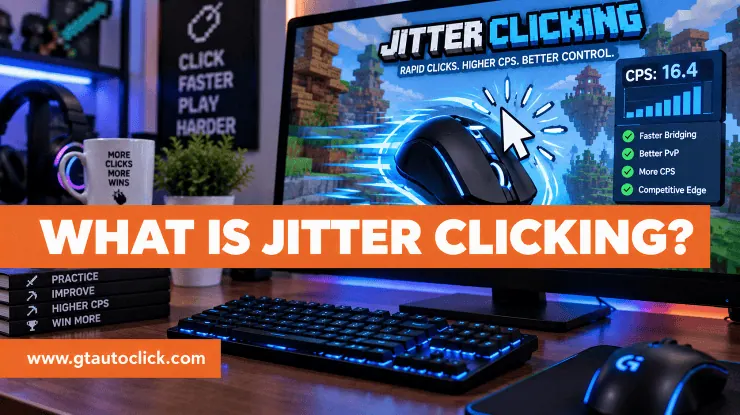
If you have ever watched a Minecraft PvP player click at an unusually high speed, you may have wondered how they do it. One of the techniques behind those rapid clicks is jitter clicking.
Jitter clicking is an advanced mouse-clicking technique that uses controlled muscle tension to create a rapid vibration in the hand and forearm. Instead of consciously pressing the mouse button for every single click, you create a small, repeatable tremor that transfers to your clicking finger and produces multiple clicks in a short period.
The technique became especially popular in the Minecraft PvP community, where clicking speed can matter during combat and certain bridging situations.
But jitter clicking isn’t simply about shaking your hand as hard as possible. Learning to create the right vibration while keeping your mouse under control takes practice.
How Does Jitter Clicking Work?
With normal clicking, your index finger deliberately presses and releases the mouse button for every click. Jitter clicking changes where that movement comes from.
You lightly position your finger on the mouse button and create controlled tension in your forearm and hand. As the muscles begin to vibrate, that movement travels through your wrist and into your finger. Your finger then moves rapidly enough to register repeated clicks.
The key is controlled vibration, not random shaking.
If you tense too little, you may not create enough movement to register consistent clicks. If you tense too much, your muscles can become rigid and the vibration may actually stop. Finding that middle ground is one of the hardest parts of learning the technique.
How to Jitter Click
Jitter clicking can feel strange at first, so don’t expect to master it immediately. Start slowly and focus on understanding the movement rather than chasing a high CPS score.
1. Position your finger
Place your index finger lightly on the primary mouse button. You don’t need to press down hard. Keep your finger slightly curved and close to the button so the movement required for each click stays small.
2. Keep your mouse under control
Hold the mouse firmly enough that it doesn’t slide around, but avoid squeezing it with excessive force. A tight grip can restrict the movement you’re trying to create and make your hand tire more quickly.
Your forearm should also have some support. Keeping your wrist relatively stable can make it easier to transfer the vibration toward your finger.
3. Create the vibration
Instead of trying to rapidly move your index finger, tense the muscles in your forearm and hand until you feel a small, rapid vibration.
Think of it as creating a controlled tremor rather than repeatedly tapping the button.
Once you find the right amount of tension, allow that vibration to travel through your wrist and into your clicking finger. With practice, the finger can begin registering several clicks without you consciously pressing the button each time.
4. Practice in short bursts
Don’t start by trying to jitter click continuously for a long period. Practice for a few seconds, relax your hand, and repeat.
You can also practice creating the vibration without a mouse first. Once you understand how the forearm movement feels, transfer the technique to the mouse and work on producing clean, consistent clicks.
Your first goal should be control. Speed can come later.
How Fast Is Jitter Clicking?
Jitter clicking can produce considerably more clicks per second than ordinary clicking, although results vary from person to person.
Current clicking guides commonly place trained jitter clicking somewhere around 8–14 CPS, with experienced users sometimes reaching higher numbers during short bursts.
Don’t treat these figures as a target that everyone must reach. Your mouse, technique, hand control, practice, and natural ability all affect the result.
More importantly, a high one-second score doesn’t necessarily mean you’re good at jitter clicking. Being able to maintain a controlled clicking rhythm while keeping your cursor accurate is much more useful during actual gameplay.
How to Jitter Click and Aim
This is where jitter clicking becomes considerably harder.
The same vibration that produces rapid clicks can also move your mouse unexpectedly. If your hand shakes too much, your cursor can jump away from your target.
Try to keep your wrist relatively stable and use controlled arm movements to guide the mouse. Don’t compensate by gripping the mouse as tightly as possible. Instead, practice keeping your clicking motion and aiming motion separate.
Start by practicing jitter clicking while the mouse is stationary. Once you can produce consistent clicks, gradually introduce small mouse movements and eventually practice while playing.
This takes time because you’re learning two skills at once: generating the vibration and maintaining accurate cursor control.
Do You Need a Special Mouse for Jitter Clicking?
Not necessarily.
One advantage of jitter clicking is that it doesn’t depend on the same specialized surface characteristics associated with techniques such as drag clicking. However, the mouse still matters.
Look for a mouse that has:
- Responsive buttons
- A comfortable shape
- Reliable click registration
- Suitable debounce behavior
- Good durability
- A grip that fits your hand
Not every mouse handles extremely rapid inputs in exactly the same way. Debounce settings can affect how quickly repeated clicks are recognized, so a mouse that works well for one player may not produce the same results for another.
Comfort should also come before chasing a particular model. If your hand doesn’t fit the mouse naturally, a theoretically fast switch won’t solve the problem.
Is Jitter Clicking Dangerous?
Jitter clicking deserves some caution because it relies on sustained muscle tension and repetitive movement.
Overdoing the technique can lead to fatigue and strain in the fingers, wrist, and forearm. Sources discussing the technique commonly recommend keeping practice sessions short and taking breaks rather than trying to maintain a jitter continuously.
You may come across claims that a specific CPS range is automatically “safe.” There isn’t a reliable universal CPS number that guarantees safety for everyone. How long you practice, how much tension you use, and how your body responds all matter.
If you experience pain, numbness, tingling, or persistent soreness, stop practicing and give your hand time to recover. Don’t treat discomfort as something you need to push through for a higher CPS score.
Jitter Clicking vs. Butterfly and Drag Clicking
Jitter clicking isn’t the only way to increase CPS.
Butterfly clicking uses two fingers, usually the index and middle fingers, alternately on the same mouse button. It can produce high CPS without relying on the same forearm vibration used in jitter clicking.
Drag clicking uses friction between your fingertip and the mouse button to generate multiple registered inputs while dragging your finger across the surface.
Each technique has its own advantages and drawbacks. Jitter clicking is particularly useful for people who want a high-speed technique without depending on a mouse specifically suited to drag clicking.
Is Jitter Clicking Allowed in Minecraft?
Jitter clicking itself is a manual clicking technique, not an automated program. However, whether a particular clicking method is permitted can depend on the rules of the game or server you’re using.
This distinction is important because jitter clicking should not be confused with auto clickers or macros. Automated tools generate clicks through software or other mechanisms, while jitter clicking relies on your own hand.
Always check the current rules of the specific server before using any high-CPS technique in competitive play.
Conclusion
Jitter clicking is essentially a way of turning controlled muscle vibration into rapid mouse clicks. It can significantly increase CPS compared with ordinary clicking, but mastering it takes patience and practice.
Start with a relaxed grip, learn to create the forearm vibration, and focus on keeping the mouse under control. Once the movement becomes familiar, work on combining it with accurate aiming.
Most importantly, don’t make CPS the only goal. A slightly lower clicking speed that you can control comfortably is far more useful than a record score that leaves your hand exhausted.
And if your hand starts to hurt, stop. No CPS score is worth an injury.